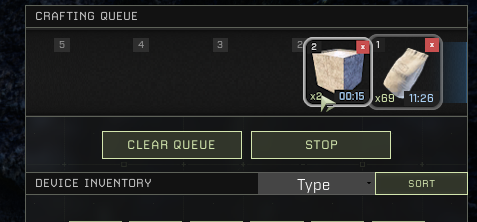
[Suggestion] Switching Priorities of Crafting Queue
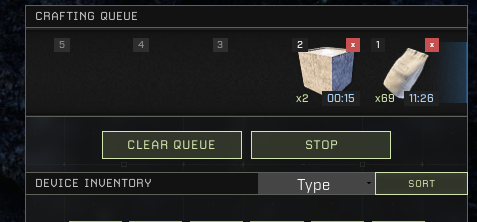
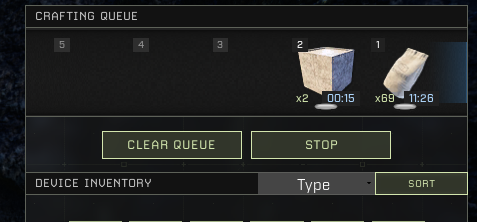
I feel like you should be able to just drag items across the queue and reorder them if you want to craft a new item and get it done without cancelling and recrafting the item you were crafting beforehand
Comments: 4
Oldest
•
Newest
•
Most likes
•
Fewest likes
-
13 Apr, '25
PhilosopherHighlighted comment
This is something I keep doing, trying to drag my queue around to move things up or down. It just feels so natural. And as the comment states, what is the point of the Stop button if it can not also be used to start?
Speaking of the Stop button, when I queue up too many items causing the device's inventory to be full, it will stop because it can no longer add the final/produced items, but it is impossible to restart. So we end up having to clear the queue and start over. That's kind of a bug. -
06 Sep, '23
AtmotayeYes! I would also suggest that the Stop button be replaced with a Start/Stop button so that when (inevitably) my queue is no longer valid and crafting stops I can simply press start to begin again with my updated queue rather than clearing and re-ordering.
-
24 Jun
SaphiusCurrently, clicking on a queued job deletes it, so along with the OP's suggestion, I also suggest a small red X in the top right of each job to delete the job instead of clicking on the job.
Or, leave delete-on-click capability, but add a smaller rectangular icon on the bottom edge of each job that you click and drag to reorder the queue.